
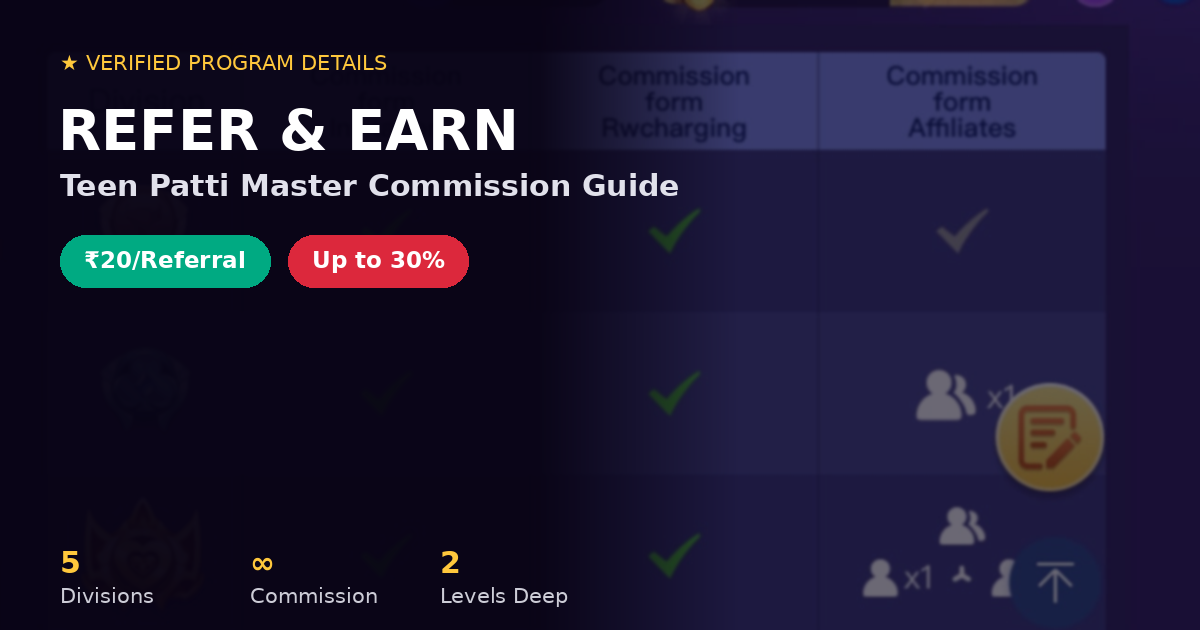
Most referral programs are simple: share a link, get a flat bonus, done. Teen Patti Master Refer and Earn program has more going on than that, and if you only read the “invite friends, get ₹20” headline, you’re missing the part that actually matters for anyone taking it seriously, which is the division system underneath it.
Here’s the full breakdown, based on what’s actually inside the app right now.
Teen Patti Master Refer and Earn: Commission Per Referral
Two things happen when someone joins through your link:
- A flat ₹20 the moment they install and sign up. This part is straightforward, no conditions beyond a genuine installation through your link.
- An ongoing cut of their recharges, This is where things get even more interesting. Whenever your referral adds cash to their account, you earn a commission ranging from 5% to 30% of that amount. This isn’t a one-time event or something limited to a 30-day window; as long as they continue to play and top up their accounts, you will keep receiving that commission.
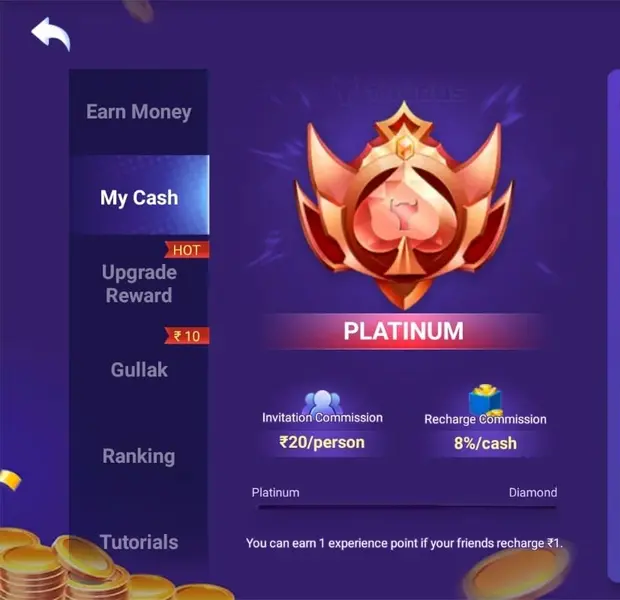
The commission percentage depends on the division; since we are in the Platinum division, we receive an 8% commission on top-ups.
Teen Patti Master Refer and Earn Promoter Divisions Explained
Everyone starts at Bronze. From there, five tiers exist:
- Bronze → Silver → Gold → Platinum → Diamond
At Bronze, you get the ₹20 invitation bonus and recharge commission, same as everyone. What you don’t get yet is the ability to earn from your referral’s own referrals, what the app calls your affiliates. That unlocks once you move up.
Here’s the practical difference:
| Division | Invitation Bonus | Recharge Commission | Affiliate Earnings |
| Bronze | ₹20/person | Yes | Locked |
| Silver | ₹20/person | Yes | 1 level unlocked |
| Gold | ₹20/person | Yes | 1 level unlocked |
| Platinum | ₹20/person | Higher % | Multiple levels |
| Diamond | ₹20/person | Higher % | Multiple levels |
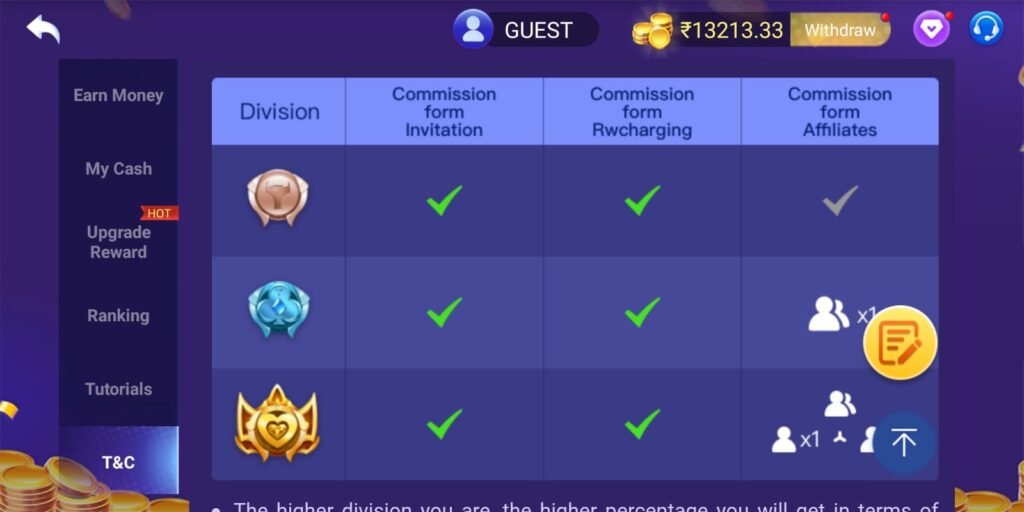
So say you refer someone at Bronze, and later they start referring their own friends. At Bronze, you see none of that downstream activity. Move up to Silver or higher, and their referrals start counting toward your commission too, on top of what you’re already earning from your direct referral.
How you move up divisions
It comes down to two things, how many people you’ve referred, and how much they’ve actually recharged. It’s not just a headcount game; the app tracks real spending activity, and accounts flagged for inactive or low-quality referrals can get moved back down a tier.
How to Refer a Friend on Teen Patti Master (Step-by-Step)
This trips people up more than you’d expect, so it’s worth being specific:
- Open Refer & Earn from the home screen.
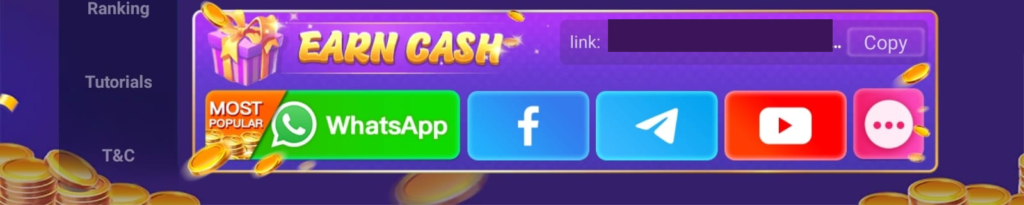
- Copy your personal referral link, or use the in-app share buttons for WhatsApp, Facebook, Telegram, or YouTube.
- Send it to someone who’d genuinely want to play, not just anyone.
- They need to install the app through that exact link. If you send them the APK file directly, it won’t register, no matter how genuine the referral is.
- Once they install and start playing, they show up as your referral, and recharge commission kicks in from their very first add-cash.
One more limitation worth knowing upfront: this entire program currently works for Android installs only. iOS is listed as coming, but not live yet.
Teen Patti Master Refer and Earn: Where the Commission Comes From
A fair question, since a 30% commission sounds like a lot, is whether that comes out of your referral’s own winnings. It doesn’t. The affiliate commission is paid from the company’s account separately, so your referral’s earnings aren’t touched by what you make off their activity.
How to Track Your Teen Patti Master Refer and Earn Commission
Inside My Cash, under the Refer & Earn section, you’ll find:
- Total Commission: everything earned so far
- Total Referrals: how many people you’ve brought in
- My Affiliates: referrals brought in by your own referrals (once unlocked)
- My Referrals: your direct invites, individually
- Total Withdrawals: your payout history
Your current division, and how close you are to the next one, shows up on the same screen.
How to Withdraw Money from Teen Patti Master Refer and Earn
Withdrawing your referral earnings from Teen Patti Master is a simple process. The app features a separate balance section for funds earned through the ‘Refer and Earn’ program, allowing players to transfer their commissions directly to their personal accounts without any gameplay requirements.
Step-by-Step Withdrawal Process
- Access the Referral Dashboard: Open the Teen Patti Master application and tap on the “Refer & Earn” section.
- Click on Withdrawal: View your available referral balance and tap the “Withdraw” option located next to your total earnings.
- Select Your Payment Method:
- Bank Transfer: Provide your official Bank Account Number, IFSC Code, and Account Holder Name.
- UPI Transfer: Enter a valid VPA/UPI ID (such as PhonePe, Google Pay, or Paytm).
- Enter the Withdrawal Amount: Input the sum you wish to cash out, ensuring it meets the threshold requirement.
- Submit the Request: Re-check your payment credentials and confirm the transaction. Funds are typically transferred to your account within minutes.
Key Rules & Withdrawal Conditions
- Minimum Payout Limit: The minimum withdrawal limit for referral commissions generally ranges between ₹100 and ₹300, depending on current platform updates.
- Direct Transfer: You can transfer earnings immediately without playing extra hands.
- Account Verification: Ensure your registered mobile number is verified via OTP. Double-check all banking details before confirming to avoid payment delays or processing errors.
- Payout Timeline: Transactions are generally processed immediately; however, issues within the banking network can sometimes cause a delay of up to 24 hours.
Tips to Earn More from Teen Patti Master Refer and Earn Program
Most people view referral programs merely as a numbers game; they spam their links everywhere to see what sticks. However, this program doesn’t reward you that way, as commissions are earned on recharges rather than just sign-ups.
You will earn more by sending your link to ten people who genuinely enjoy card games than by sending it to two hundred people who might install the app once but never open it again. If you have already read our Teen Patti Master Rules guide or picked up insights from our tips and tricks page, you will be better equipped to explain the game to your referrals. Ultimately, the quality of your referrals matters more than the sheer size of your contact list.
If the person you referred hasn’t installed the app yet, direct them to the official download page instead of sending the APK file yourself. This is crucial because installations made without using your referral link do not count towards your commission.
Download Teen Patti Master
Refer & Earn | Good Commission | Fast Withdrawal
Teen Patti Master Refer and Earn – FAQ
How much do I earn for every friend I refer?
Ans: ₹20 immediately once they install through your link, plus ongoing recharge commission, up to 30%, depending on your division.
Does the commission stop after a while?
Ans: No. As long as your referral keeps playing and recharging, the commission keeps applying. There’s no expiry window.
Can I earn from people my referrals bring in?
Ans: Yes, but only once you’ve moved past Bronze. Silver and Gold unlock one level of this; Platinum and Diamond unlock more.
What happens if I just share the APK file instead of my link?
Ans: It doesn’t count. The install has to go through your specific referral link for the system to register it.
Final Word
Refer and Earn works because real people are actually playing and recharging, not because links get shared. Treat it that way. Share the app with people who’d actually enjoy it, and the commission follows from that, rather than the other way around.
Disclaimer: Commission percentages and division requirements are set within the app and may be updated over time. Always check the current Refer & Earn section for the latest terms before relying on specific numbers.

Hey Friends, My Name is Mantra Kumar, I am a blogger and Web Developer, I have been blogging for 5 years, I love Writing articles, I have studied M.sc IT. I love to know about new apps and write articles about it.